

Synology DS1525+: 5-Bay Hybrid Cloud NAS with Containers & ECC
The Synology DS1525+ is no longer just a conventional NAS. With Container Manager, Hybrid Share, and an AMD Ryzen V1500B processor, this 5-bay device bridges the gap between local storage and cloud …
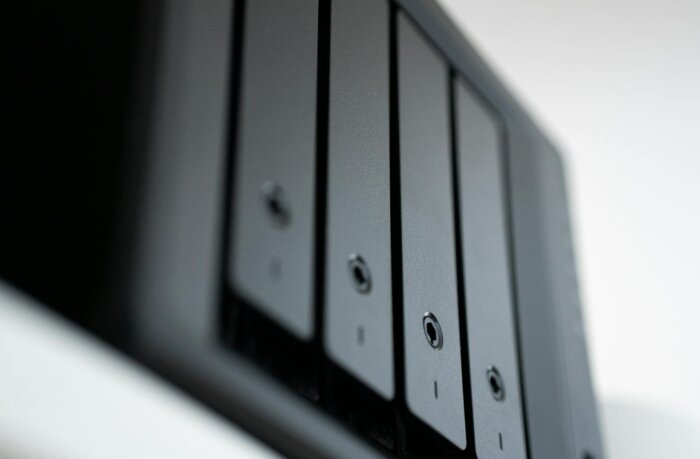
The Synology DS1525+ is no longer just a conventional NAS. With Container Manager, Hybrid Share, and an AMD Ryzen V1500B processor, this 5-bay device bridges the gap between local storage and cloud infrastructure. Starting at €730, Synology delivers a unified platform combining backup server, Docker host, and hybrid cloud gateway in a single enclosure.
TL;DR
- The DS1525+ features an AMD Ryzen V1500B (4 cores, 8 threads, 2.2 GHz) with 8 GB DDR4 ECC RAM – expandable to 32 GB (Synology).
- Five drive bays plus two M.2 NVMe slots for SSD caching or dedicated storage pools. With two DX525 expansion units, capacity scales up to 15 bays and 300 TB raw storage.
- Container Manager supports Docker and Docker Compose – stable for 10-20 lightweight containers simultaneously (Synology Community, 2025).
- Hybrid Share enables incremental synchronization of local storage with Synology C2 or S3-compatible targets (Synology, DSM 7.2+).
- Two native 2.5-GbE ports, expandable to 10 GbE via the E10G22-T1-Mini module. Sequential throughput: up to 1,181 MB/s (Synology datasheet).
Hardware: Ryzen Instead of Celeron
Synology has executed a generational shift with the DS1525+. Replacing the Intel Celeron J-series processors that long powered its “Plus” models, the DS1525+ now runs on an AMD Ryzen V1500B – four true CPU cores and eight threads at 2.2 GHz. The difference is tangible: encrypted volumes, snapshot replication, and containerized workloads all benefit directly from superior multi-threaded performance.
The included 8 GB of DDR4 ECC RAM suffices for a pure file-server setup. However, users planning serious Container Manager usage – or running Surveillance Station with more than four cameras – should upgrade to 16 or 32 GB. ECC RAM isn’t a luxury on a device serving as primary data storage – it’s essential. Synology’s decision to include ECC as standard distinguishes the DS1525+ from consumer-grade NAS devices.
The five 3.5-inch bays accept SATA drives. Two additional M.2 2280 NVMe slots serve either as SSD cache or as independent storage pools optimized for container and virtual machine workloads. Users needing fast storage for Docker volumes can dedicate these NVMe slots accordingly – leaving the SATA bays free for bulk storage and long-term archival.
Container Manager: Docker Without VM Overhead
Container Manager in DSM 7.2+ is built on Docker and fully supports Docker Compose. For IT teams, this means no need for a separate VM to run containerized workloads. A reverse proxy powered by Traefik, a Grafana-based monitoring instance, and a local Git server using Gitea all run natively on the NAS hardware – without hypervisor overhead.
In practice, users report stable operation with 10-20 lightweight containers concurrently. The DS1525+ isn’t designed for compute-intensive workloads – the Ryzen V1500B is an embedded processor, not a server-class chip. Teams requiring a local IaC pipeline runner or build server will be better served by a dedicated mini-server.
Where Container Manager excels is persistent storage. Docker volumes reside directly on the Btrfs filesystem and inherit snapshots, compression, and end-to-end data integrity. No separate NFS mount, no iSCSI target – integration is seamless. For API-first architectures with local backends, it’s an elegant solution.
Hybrid Share: Local Cache, Cloud Backend
Hybrid Share is Synology’s answer to the question of how local and cloud storage can coexist. This feature synchronizes data incrementally between the DS1525+ and Synology C2 Storage – or any S3-compatible destination. Frequently accessed files remain cached locally; infrequently used data is offloaded to the cloud.
For DACH-region enterprises unwilling or unable to move all data to public cloud environments, Hybrid Share offers a pragmatic compromise: local control over primary data access, backed by cloud-based disaster recovery. Synology’s C2 servers are located in Frankfurt – a decisive advantage in data privacy discussions.
Hyper Backup complements Hybrid Share as a traditional backup utility. It supports not only C2 but also AWS S3, Azure Blob Storage, Google Cloud Storage, and rsync-compatible destinations. Together, Hybrid Share (for active data) and Hyper Backup (for versioned backups) cover most cloud storage scenarios without requiring third-party tools.
Btrfs: Snapshots as a Safety Net
Synology uses Btrfs as the default filesystem on the DS1525+. Its advantages over ext4 are substantial in a NAS context: immutable snapshots with customizable retention policies, checksum-based data integrity verification, and cross-site replication.
For container workloads handling sensitive data, this means a snapshot taken before deployment provides full state protection. If a container update fails, rollback takes seconds – not minutes or hours. No manual backup, no external restore: one click in DSM is all it takes.
Snapshot replication to a second Synology NAS at a remote site – combined with Hybrid Share – creates a three-tiered data protection strategy: local (snapshots), remote (replication), and cloud (C2/S3). This fulfills the 3-2-1 backup principle without requiring additional software or hardware.
Networking: 2.5 GbE Standard, 10 GbE Optional
The DS1525+ ships with two 2.5-GbE ports. For a NAS of this class, that’s ample – link aggregation yields a theoretical throughput of 5 Gbit/s, sufficient to saturate the sequential performance of five SATA HDDs in RAID 5.
Users needing higher bandwidth – for example, connecting to a 10-GbE-capable mini-server or hosting iSCSI targets – can install the E10G22-T1-Mini module into the PCIe Gen3 x2 slot. The maximum sequential throughput of 1,181 MB/s read and 1,180 MB/s write confirms the Ryzen V1500B won’t bottleneck the 10-GbE link.
HCL Policy: What IT Teams Need to Know
One critical factor in purchasing decisions: Synology introduced a Hardware Compatibility List (HCL) policy for drives in 2025. At times, Plus models permitted only certified drives. DSM 7.3 (released October 2025) lifted this restriction for third-party SATA drives.
Users wishing to reuse existing SATA HDDs should ensure DSM 7.3 or later is installed. For NVMe SSDs installed in the M.2 slots, the HCL remains in effect – consulting the official compatibility list before purchasing expensive SSDs is strongly advised.
Pricing Context and Recommendation
The DS1525+ starts at €730 (excl. drives). Adding five 8-TB Seagate IronWolf HDDs (approx. €180 each) brings total cost to roughly €1,630 for a RAID 5 setup delivering ~32 TB of usable capacity. The 10-GbE module adds ~€120; upgrading RAM to 32 GB costs ~€90.
Compared to cloud-only storage: 32 TB on AWS S3 Standard costs approximately $around 645 euros per month. The DS1525+ thus pays for itself in under three months – assuming primary access occurs locally. For pure archival use, S3 Glacier is cheaper – but significantly slower.
Who Should Buy the DS1525+ – and Who Shouldn’t
Pros
- ECC RAM included as standard – not an optional extra, unlike consumer NAS devices
- Container Manager with Docker Compose running natively atop Btrfs
- Hybrid Share seamlessly unifies local storage with cloud backends
- Expandable to 15 bays and 300 TB using DX525 expansion units
- 10-GbE support via the E10G22-T1-Mini module
Cons
- The Ryzen V1500B is an embedded chip – not suited for compute-heavy containers
- Native networking limited to 2.5 GbE – 10 GbE requires a €120 add-on
- HCL policy restricts NVMe SSD choices (SATA drives unrestricted since DSM 7.3)
- No HDMI port – no local display possible without network connectivity
- Using C2 Storage as a Hybrid Share target locks users into the Synology ecosystem
Conclusion
The Synology DS1525+ is no longer merely a data repository. It’s an edge computing platform integrating local storage, container hosting, and cloud synchronization in one device. For IT teams seeking to implement a 3-2-1 backup strategy without adding third-party tools, the DS1525+ ships ready to deliver: local Btrfs snapshots, replication to a remote NAS, and Hyper Backup to the cloud.
At €730 (excl. drives), the DS1525+ isn’t a bargain – but its payback versus pure cloud storage is under three months. Users leveraging Container Manager as a Docker host for monitoring, reverse proxying, or local API services gain a platform whose capabilities far exceed expectations for its product category.
Frequently Asked Questions
Can the DS1525+ serve as Kubernetes storage?
Yes. The DS1525+ can be integrated as a Persistent Volume provider for Kubernetes via iSCSI or NFS. Synology’s CSI driver supports dynamic provisioning directly within Kubernetes clusters. For production workloads, a 10-GbE connection is recommended.
Is the stock 8 GB of RAM sufficient?
Yes – for a pure file-server setup using Btrfs and supporting up to five users. Users deploying Container Manager with more than five containers – or running Surveillance Station – should upgrade to at least 16 GB. A 32-GB upgrade costs ~€90 and takes about five minutes.
How does the Hybrid Share cache work?
Hybrid Share keeps frequently accessed files cached locally on the DS1525+. Infrequently used data is incrementally offloaded to the cloud (C2 or S3). The local cache size is configurable. Synchronization runs silently in the background – no manual intervention required.
Is the DS1525+ quiet enough for office use?
Under idle conditions or light load, the DS1525+ is nearly inaudible. Under heavy load – such as RAID rebuilds, multiple concurrent containers, or 10-GbE transfers – fan speed increases noticeably. It’s perfectly suitable for offices with ambient noise, but may be too loud for conference rooms.
Which cloud destinations does Hyper Backup support?
Hyper Backup supports Synology C2 Storage, AWS S3, Azure Blob Storage, Google Cloud Storage, Backblaze B2, rsync-compatible servers, and local USB drives. Encryption occurs client-side before upload – data leaves the DS1525+ exclusively in encrypted form.
Editor’s Reading Recommendations
Cover image: Pexels / [Select Photographer] (px:ID)


