

Cloud Repatriation 2026: When the Return Pays Off
Cloud repatriation 2026 as a TCO decision: from which workload profile co-location plus Kubernetes pays off against AWS and Azure.
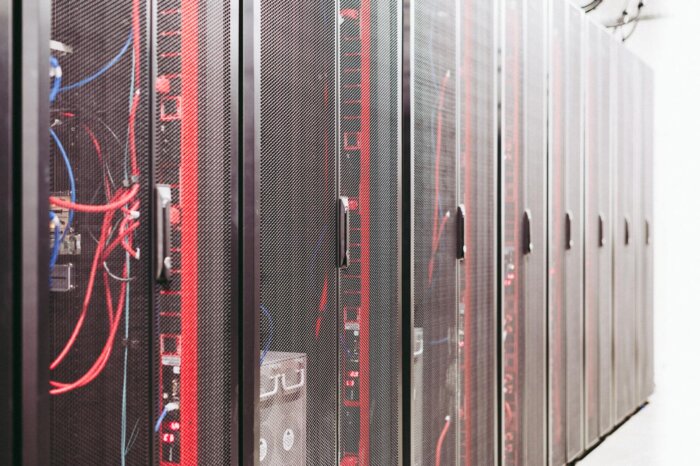
Cloud Repatriation sounds like a step backward in 2026, but it’s merely the bill coming due after three years of hyperscaler operations. The question isn’t “back from the cloud,” but: at what workload profile does co-location plus Kubernetes become more computationally attractive than AWS or Azure? Those who don’t crunch the numbers are either saving money in an expensive cloud or burning it in an underdimensioned rack.
Key Takeaways
- Repatriation is a TCO decision, not a religion. Workloads with stable base load and high egress are the candidates – bursty APIs don’t belong there.
- The break-even point is at 60-70% utilization. Below that, hyperscaler elasticity beats co-lo. Above that, you pay 24/7 for capacity you need anyway – plus personnel, which everyone underestimates.
- Hybrid is the realistic target architecture. Kubernetes plus GitOps makes repatriation manageable; the interesting cases pull 60-80% of compute out, while managed services and peak load stay in the cloud.
RelatedAI Inference Costs 2026: FinOps for GPU Workloads / Platform Engineering 2026: Internal Developer Platforms
The discussion has been running since 37signals publicly predicted in 2023 that they could save seven figures by running their own servers. Since then, many opinion pieces have emerged, few with numbers. What’s missing in the enterprise context is an honest TCO framework: not for the laptop backend service, but for workloads with real load curves, compliance requirements, and operational responsibility.
This article provides that framework. No ideology, no hyperscaler bashing. Just the gears that make the difference. Plus a bill that can be understood on a single A4 page.
When the return journey makes sense computationally
Most repatriation cases fail not due to technical issues but because of the profile of their own workloads. Hyperscalers offer elasticity, which is fair in exchange for a reasonable increase in bare metal costs. However, it becomes unfair if the elasticity is never utilized. A round-the-clock analysis pipeline that consistently shows a similar resource curve each day is the textbook case for co-location. A webshop with a Black Friday peak is less likely to benefit.
The second factor that many overlook is egress. With AWS, data egress costs become significant starting from the first terabyte. Azure operates in a similar manner. Workloads that generate large amounts of data – such as video transcoding, backup targets, or ML training with external datasets – contribute a substantial portion of their hyperscaler bill to traffic, not compute.
A rule of thumb for the initial filter: If the average CPU utilization of your instances is over 60 percent in the monthly average and the egress component of your cloud bill contributes double-digit percentages, repatriation makes sense. If it’s below that, stick with the hyperscaler and focus on FinOps. This is more cost-effective than a migration project.
Source: TCO Model Calculation by cloudmagazin, assumptions detailed in the following section
The Computing Model That Fits on a Napkin
To avoid being vague: Let’s consider a realistic workload. One hundred compute nodes, equivalent to AWS m7i.4xlarge (16 vCPU, 64 GB RAM). In the cloud on-demand, this costs approximately 0.80 Euros per hour per instance, while with one-year reserved instances, it’s about 0.48 Euros. Storage and network costs are intentionally excluded because they depend on the specific workload.
On the cloud side, reserved instances cost around 420,000 Euros per year for compute-only, and on-demand costs around 700,000 Euros. Typical egress costs of one to two terabytes outbound per day add another 60,000 to 120,000 Euros. A realistic annual cost for this workload alone ranges from half a million to just over one million Euros.
| Cost Category | Hyperscaler | Co-Location | Reality Check |
|---|---|---|---|
| Compute | On-demand + Reserved/Savings Plans | Baremetal CAPEX + 3-5 Years of Financing | Co-Lo starts to be more cost-effective at >60% utilization |
| Egress | Expensive after the first TB | Transit contracts, typically cheaper with volume | Primary cost for video, backup, and ML dataset workloads |
| Personnel | Managed services, low SRE overhead | Minimum two dedicated SREs, 24/7 rotation | The cost that everyone underestimates – minimum size, not luxury |
| Platform | Managed K8s, queues, databases | Own K8s stack + GitOps + monitoring | No manageable withdrawal without platform layer |
Own interpretation. Concrete numbers depend on workload profile, region, and negotiation position.
On the co-location side, the cost structure is different. Two racks in a DACH data center with power and cooling, equivalent to approximately 48,000 to 72,000 Euros per year. Hardware depreciation for one hundred Dell or Supermicro nodes over five years, at around 10,000 to 14,000 Euros per node, totals 200,000 to 280,000 Euros per year. Redundant 10 Gbit network uplink costs between 20,000 and 35,000 Euros. Two dedicated SREs with operational responsibility for Kubernetes and hardware, fully costed, amount to approximately 220,000 Euros. Spare parts, remote hands, and provider change costs add another 40,000 Euros.
Total: Between 528,000 and 647,000 Euros per year. Compared to the cloud cost of 480,000 to just over one million Euros, this is not a silver bullet, but a corridor where the decision is made based on workload profile and egress. The real decision point will likely be at 300 or 500 nodes, where hardware costs become less significant, but personnel and rack costs do not increase linearly.
What Kubernetes in Co-Lo Truly Transforms
In 2019, repatriation was no walk in the park. Bare-metal servers with Ansible and manually configured load balancers felt like a trip back in time. By 2026, the landscape will look different. Running Kubernetes on your own hardware is no longer an exotic setup but a default platform option: Cluster-API for lifecycle management, Rancher or OpenShift for operations, Flux or ArgoCD for GitOps, Cilium for networking, and Longhorn or Ceph for storage.
The key difference is abstraction. Developers see a Kubernetes API, whether it’s running on EKS, AKS, or a cluster in a Frankfurt Co-Lo. This is the real game-changer: repatriation becomes a backend swap, not an application rewrite.
Three areas where abstraction leaks are critical. First, storage: An EBS volume behaves differently from a Longhorn or Ceph RBD volume, especially under latency pressure. Second, networking: AWS Load Balancer Controller and Cilium LB on MetalLB provide similar functions, but failover times and configuration logic differ. Third, identity: IRSA-like federation on your own hardware is possible but requires SPIRE or a comparable workload identity layer that needs operational maintenance.
If these three issues aren’t resolved before go-live, they’ll need to be tackled during production incidents. This is the more expensive route. At the same time, by 2026, the community will have progressed enough that runbooks, Helm charts, and reference architectures for these specific areas will be openly available. SUSE, Red Hat, and their customer communities provide templates that eliminate the need to start from scratch.
This changes the nature of the project. Repatriation in 2019 was akin to building from scratch on a green field. Repatriation in 2026 is a structured swap with a good toolchain, solid documentation, and a community that has already navigated most pitfalls.
What a Realistic Migration Path Looks Like
- Inventory your workloads with honest numbers. CPU utilization at the 95th percentile over 90 days, memory requirements, network egress, dependencies on managed services like RDS or Cosmos DB. Candidates are stable, state-less services with high baseline usage.
- Build a landing zone in the Co-Lo before moving a single workload. Two racks, Kubernetes via Cluster-API, identity integration with the existing IdP, logs and metrics to the same stack as the cloud side. Goal: operationally interchangeable.
- Migrate a pilot workload that you can afford to fail. No internal tools first. If operations and deployment pipelines can’t handle production pressure, the architecture isn’t ready.
- Database last – and only with a clear plan. Managed Postgres or Cosmos DB often stay in the cloud. Running your own Postgres cluster is possible but requires real DBA time and a clean backup strategy.
- Define exit criteria before you start. At which incident, which increase in MTTR, or which budget drift will you retreat to the cloud? Document it, not just mentally.
The Honest Trade-offs
Every architecture has costs that only become apparent in operation. With co-location, these are not the obvious hardware expenses but the subtle factors. Here’s the comparison without embellishment:
- Predictable costs, no billing surprises at the end of the month
- Hardware control for GPU, storage, or network special profiles
- Data residency and compliance without a service country matrix
- Performance headroom that’s only expensive in the public cloud
- Expensive licenses (Oracle, MSSQL) often cheaper on-prem
- No auto-scaling for peaks without hybrid attachment
- Capital expenditure (CapEx) logic instead of operational expense (OpEx): CFO conversations get harder
- Team dynamics: Two SREs are the minimum, not the comfort zone
- Managed services are lost or must be self-operated
- Geographic distribution requires more than a single co-lo
If you read this list and feel that the right column outweighs: you’re probably right. Co-location doesn’t beat hyperscalers because the cloud is expensive. It wins when workload profile, cost structure, and team setup align.
Where the Hybrid Line in 2026 Becomes Realistic
Most projects I’ve closely examined over the last twelve months don’t end up with “everything out.” They end up with a hybrid architecture where 60 to 80 percent of compute load resides in co-lo. The cloud then handles three things: managed databases that you don’t want to operate, peak capacity over Kubernetes cluster federation, and edge or global services that a single co-lo location can’t cover.
This line isn’t a compromise but the honest answer to a bill that only represents part of the workloads. Those who accept this have already covered half the journey. Those who demand “all or nothing” fall back into the ideological trap that the debate since 2023 has often become.
What makes the target architecture particularly interesting: It decouples procurement from operations. Hardware depreciation runs over five years, co-lo contracts over 24 to 36 months, and cloud contracts can be turned around in weeks. This mix of CapEx and OpEx is more readable for CFOs than a cloud bill that looks different every month. Those who go through a well-built hybrid calculation with their finance team realize: The supposedly old-fashioned hardware investment is the most predictable part of the entire infrastructure roadmap.
The price for this is discipline in capacity planning. Those who keep 30 percent headroom permanently in co-lo lose part of the cost advantage. Those who dimension too tightly will order in six months and lose time. The best teams I’ve seen work with rolling 12-month forecasts and a cloud burst option for exactly the peaks they can’t safely predict.
Conclusion
Cloud repatriation in 2026 is not a retreat but a maturation process. The technology is ready. Kubernetes in your own rack is no longer a research project. The decision remains commercial: average utilization, egress proportion, team capacity. Those who don’t know these three numbers should first distance themselves from the repatriation idea and catch up on FinOps. Those who know them and the corridor fits will end up with a setup that runs predictably – and a CFO who no longer frowns every time the cloud bill arrives.
Frequently Asked Questions
At what cloud bill does repatriation become worth considering?
Below approximately 300,000 Euros in annual cloud costs, the organizational overhead eats into the savings. Around half a million Euros, the computational model becomes interesting, provided the workload profile fits. Below this, FinOps is almost always the better lever.
Do I need two Co-Lo sites for redundancy?
For production workloads with SLA commitments: yes, two sites or a cloud failover path. A single data center is a single point of failure. Most hybrid setups resolve this by keeping the cloud as a DR target, not primary operation.
What does a Kubernetes cluster cost to operate in a Co-Lo in a year?
Without hardware, just operations: two to three full-time SREs for a cluster with 100 to 200 nodes, plus licenses for observability stack and possibly Rancher or OpenShift. Realistically, this ranges from 300,000 to 450,000 Euros annually. Anyone thinking a half-time position is sufficient underestimates incident response and lifecycle management.
Do managed services like RDS or Cosmos DB come with?
No, not without additional setup. Even self-managed equivalents exist (CloudNativePG, CrunchyData, YugabyteDB), but they require DBA time and clean backup processes. In many hybrid setups, the databases remain in the cloud intentionally, even if compute moves.
How long does a realistic partial repatriation take?
From decision to completion of the first workload migration: six to nine months. The landing zone phase alone, including Co-Lo setup, Kubernetes, identity, observability, takes three to four months. Anyone aiming to complete in three months either has everything prepared or is setting the project up for failure.
What is the most common mistake in repatriation projects?
The hardware investment is calculated cleanly, but the personnel costs are underestimated. Two SREs become 1.5 SREs, who then also help elsewhere. Eight months later, the team is overloaded, and operational quality drops below the level achieved in the cloud. This is the classic mistake to avoid.
Source Title Image: Pexels / Brett Sayles (px:5480781)
Translated from the German original using artificial intelligence. The German version is authoritative.


