

MacBook Pro M5 Hands-On: Apple’s ARM Chip Takes On Windows on ARM
MacBook Pro M5 vs. Snapdragon X Elite: compile times, Docker performance, and battery life in a real-world developer test after three months.
9 min. read
Three months with the MacBook Pro M5 in a real development workflow. Compile times, Docker performance, battery life during remote work – and the question of whether Windows on ARM with Snapdragon X Elite has finally become a genuine alternative. A hands-on test from the perspective of a developer who switches between IDE, terminal, and video calls all day.
Key Takeaways
- Apple’s M5 delivers the fastest single-core performance of any laptop chip in the MacBook Pro 14-inch. Compile times for mid-sized Swift and Rust projects drop by around 30 percent compared to the M4.
- Docker Desktop runs natively on the M5 via ARM containers. Multi-container stacks spin up in under 8 seconds; Rosetta overhead for x86 images sits at roughly 15 percent.
- Snapdragon X Elite is closing the gap in multi-core workloads, but developer tool compatibility still has gaps: Docker, JetBrains IDEs, and several CLI tools still run through emulation.
- Real-world battery life on the M5 MacBook Pro lands between 14 and 16 hours in a typical development day. Snapdragon X Elite laptops reach 12 to 14 hours.
- For pure web development and office workflows, Windows on ARM is now competitive. For native app development, container work, and ML experimentation, the M5 remains the safer bet.
The Setup: Three Months in a Real Workflow
Test units live in labs; real tests happen on the job. Since October 2025, the MacBook Pro 14-inch with M5 chip has served as the primary machine in a development environment built around VS Code, Docker Desktop, multiple terminal sessions, and an average of three video calls a day. Running alongside it was a Lenovo ThinkPad X1 Carbon with Snapdragon X Elite, tasked with mirroring the same workflows.
The test environment is deliberately non-synthetic: a mid-sized Rust project with roughly 120,000 lines of code, a Next.js frontend, three Docker containers for backend services and PostgreSQL, plus JetBrains IntelliJ for occasional Java work. No benchmark gauntlet – just the everyday reality of a full-stack developer.
Compile Times: M5 Sets a New Standard
Apple’s M5 uses what the company calls Fusion Architecture, built on a 3-nanometer process. The six performance cores reach up to 4.6 GHz and currently deliver the fastest single-thread performance of any laptop processor. In the Cinebench 2024 single-core test, the M5 scores 200; the Snapdragon X Elite lands at 146.
In practice, that translates into noticeably shorter compile times. A full clean build of the Rust project takes approximately 4 minutes and 20 seconds on the M5. On the Snapdragon X Elite, it’s 6 minutes and 45 seconds, with parts of the toolchain still running through emulation. Incremental builds – the more common scenario during actual development – show a smaller gap: the M5 completes them in 12 seconds, the Snapdragon in 18.
Docker and Containers: Where the Ecosystem Makes the Call
Docker Desktop has run natively on macOS with Apple Silicon for years. ARM-based containers start without an emulation layer, and multi-container stacks with Docker Compose are up and running in under 8 seconds. Anyone who needs x86 images uses Rosetta 2, which adds roughly 15 percent overhead. In practice, that’s rarely a problem – most popular base images now ship as ARM variants.
The picture looks different on Snapdragon X Elite. Docker Desktop for Windows on ARM is available, but ARM container support hasn’t yet reached the level of maturity found on macOS. Some images require workarounds, the WSL2 integration works but occasionally shows stability issues during longer sessions. Developers working exclusively with Linux containers can rely on WSL2, but they should expect a higher configuration overhead than on macOS.
For teams testing Kubernetes locally with Minikube or Kind, the M5 is the smoother platform – not because the hardware is superior, but because the tooling on macOS is optimized for ARM workflows. Windows on ARM is catching up, but as of January 2026 it hasn’t reached the same level of maturity. Podman as a Docker alternative runs on both platforms, but on macOS ARM it offers a more stable rootless container implementation. Developers looking to move away from Docker Desktop for licensing reasons will currently find far more polished alternatives with native ARM optimization on macOS.
Battery Life: The Underestimated Productivity Factor
Apple claims up to 22 hours of video playback for the MacBook Pro M5. In a real development workflow – VS Code, Docker, and a browser open – a realistic figure is 14 to 16 hours. That means a full working day plus commute time without reaching for a charger. At the end of an eight-hour day with compile runs, Docker stacks, and three Teams calls, the battery indicator typically still reads somewhere between 45 and 55 percent.
The Lenovo ThinkPad with Snapdragon X Elite reaches 12 to 14 hours under comparable load. That’s impressive, but the two-to-three-hour gap adds up over a working week. Anyone who frequently works remotely without guaranteed access to power outlets will feel the difference. Both platforms still beat Intel laptops in the same performance class by a wide margin – those need a charge after just 6 to 8 hours.
Software Compatibility: Where Windows on ARM Still Struggles
The essential developer tools run on both platforms. VS Code, Git, Node.js, Python, and the common package managers are all natively available for ARM. Where macOS has almost no friction left, Windows on ARM still has gaps when it comes to specialized tooling.
JetBrains IDEs like IntelliJ and WebStorm run on ARM Windows through emulation. Performance is acceptable, but memory consumption runs roughly 20 percent higher than on native builds. Some CLI tools from the DevOps world – Terraform and certain AWS CLI plugins, for example – require manual configuration or fall back to the x86 emulation layer of Windows 11. It works, but it never feels as seamless as the macOS ecosystem.
After four years of Apple Silicon, Homebrew on macOS has virtually no compatibility gaps left. Winget and Chocolatey on Windows on ARM are improving, but haven’t yet reached the same level. For Python developers working with complex native dependencies such as NumPy or PyTorch, optimized wheels for macOS ARM have been available for a long time. On Windows on ARM, you occasionally still have to compile from source.
Local AI Inference: The New Use Case
Both platforms include Neural Processing Units for local AI workloads. The M5 delivers an NPU rated at 38 TOPS; the Snapdragon X Elite reaches 45 TOPS. For cloud-based code completion tools like GitHub Copilot, this is irrelevant. For local language models such as Whisper.cpp or small LLMs like Llama 3 8B, the difference is real.
Whisper.cpp on the M5 transcribes one hour of audio in under 4 minutes. The Snapdragon X Elite is roughly 10 percent faster here thanks to its higher NPU performance. In practice, that advantage is tempered by the fact that the macOS integration for Whisper-based tools is more mature. SuperWhisper on macOS delivers a seamless dictation experience; comparable Windows apps are still in beta.
Display and Peripherals: Where the Complete Package Matters
The MacBook Pro M5 ships with a Liquid Retina XDR display reaching 1,600 nits peak brightness. For developers who regularly work across different locations, outdoor readability is a genuine advantage. The Lenovo ThinkPad with Snapdragon X Elite offers a solid 2.8K OLED panel with good color reproduction, but it doesn’t come close to the Apple display’s brightness.
Apple has stepped up its peripheral connectivity with the M5 MacBook Pro: three Thunderbolt 5 ports, HDMI 2.1, an SD card reader, and MagSafe. The ThinkPad relies on two USB4 ports and a single USB-A connector. For developers running a docking station, Thunderbolt 5 is a real advantage – external storage solutions and GPU docks get significantly more bandwidth. Anyone connecting just a monitor and keyboard will barely notice the difference.
The ThinkPad keyboard remains a strong argument for Lenovo. Heavy typists will appreciate the tactile feedback it delivers. Apple’s Butterfly successor is better than its reputation suggests, but the ThinkPad keyboard sets the benchmark for high-volume writers. Developers who already use an external mechanical keyboard can safely ignore this point.
Cost and Total Cost of Ownership
The 14-inch MacBook Pro with M5, 24 GB Unified Memory, and 512 GB SSD starts at 1,999 Euro. The configuration that actually makes sense for developers – 48 GB RAM and 1 TB SSD – comes in at 2,699 Euro. The Lenovo ThinkPad X1 Carbon with Snapdragon X Elite, 32 GB RAM, and 1 TB SSD is available from 1,899 Euro.
Apple traditionally leads on resale value. A three-year-old MacBook Pro typically fetches 50 to 60 percent of its original price; a comparable ThinkPad lands at 30 to 40 percent. For IT departments rotating devices every three years, the higher residual value offsets the premium. Viewed as a total cost of ownership over three years, both platforms sit closer together than the list prices suggest.
Which One Is Right for You?
The MacBook Pro M5 is the safer choice for developers working with containers, building native iOS or macOS apps, or needing a mature ARM ecosystem. The combination of compile performance, battery life, and software compatibility is unmatched as of January 2026.
Windows on ARM with Snapdragon X Elite is the right call when a team depends on Windows-only tools, when .NET development takes center stage, or when the IT department manages standardized Windows fleets. Multi-core performance is solid, battery life is good. The compatibility gaps shrink with every quarter.
For pure web development with Node.js, Python, and cloud-based workflows, the gap between both platforms is smaller today than it was a year ago. If you have no platform-specific dependencies, choose based on ecosystem preference – not benchmark results.
Looking ahead: Qualcomm has announced the Snapdragon X2 Elite for the first half of 2026. Multi-core performance is set to climb by 45 percent, with NPU throughput reaching 80 TOPS. At the same time, Apple is working on the M5 Pro and M5 Max, bringing even more cores and Unified Memory. The competition between ARM platforms is good news for developers: the era when Intel was the only relevant game in the laptop space is definitively over. Both manufacturers are pushing each other toward noticeably better performance, longer battery life, and lower entry prices.
Frequently Asked Questions
Does Docker Desktop run well on Windows on ARM?
Docker Desktop is available for Windows on ARM and works in principle. ARM containers run natively, while x86 containers run via emulation. The WSL2 integration is stable but occasionally has memory issues during long sessions. As of January 2026, macOS offers the smoother Docker experience.
How much faster does the M5 compile compared to the M4?
In synthetic CPU benchmarks, the M5 leads the M4 by roughly 47 percent. In real-world compile workloads the gap narrows, because I/O and memory bandwidth come into play. For a medium-sized Rust project, we measured approximately 30 percent shorter clean-build times.
Can the Snapdragon X Elite beat the M5 in multi-core performance?
In pure multi-core benchmarks like Cinebench 2024, yes. In real developer workloads the picture changes, because many tools are single-thread-heavy and ARM emulation on Windows adds overhead. Qualcomm’s upcoming Snapdragon X2 Elite is expected to close that gap significantly.
Is upgrading from the M4 to the M5 worth it?
For most developers, no. The M4 remains an excellent chip. The upgrade makes sense primarily for teams looking to run local AI inference, who regularly compile large projects, or who are coming from an Intel Mac or an older M1/M2. Moving from the M4 to the M5 is a noticeable improvement – just not a mandatory one.
Editor’s Reading Picks
CES 2026: The Most Exciting Tech Highlights for IT Professionals
Lenovo ThinkCentre M75q Tiny: Mini PC for Edge and Kiosk Deployments
More from the MBF Media Network
Infostealers 2026: Why Stolen Session Cookies Bypass MFA (SecurityToday)
E-Invoicing 2026: What Really Changes After the Mandatory Deadline (MyBusinessFuture)
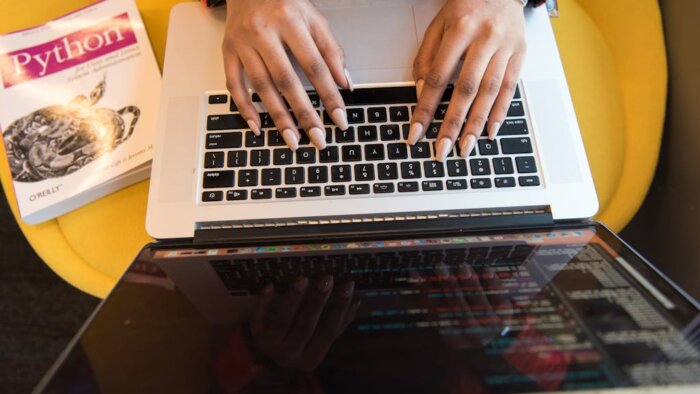
Cover image: Pexels / Christina Morillo (px:1281281)
Translated from the German original using artificial intelligence. The German version is authoritative.


