

MSI Cubi NUC AI+: AI Box Under the Monitor
Mini-PCs with Core Ultra and NPU focus on local Copilots instead of gaming. What the Cubi class brings to the office-and where the limits of the NPU lie.
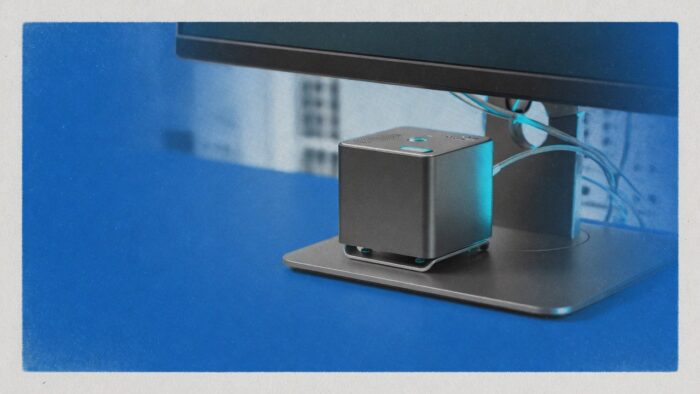
The new wave of mini PCs is no longer sold on gaming FPS. Devices like the MSI Cubi NUC AI+ position themselves as quiet AI workstations tucked under the monitor: Core Ultra, 32 GB RAM class, NPU for Copilots and transcription without sending a single prompt to the cloud.
Key Takeaways
- Form factor matters. Router-sized boxes replace towers when workloads are light and 24/7 operation must stay whisper-quiet.
- NPU is assist hardware. Great for on-device features, weak for large open models.
- Office-ready. Perfect for local assistants, edge kiosks and dev desks with tight space.
Related:72 terabytes for €500: does the mini-PC NAS pay off? / Mac Studio M5: handling cloud workloads efficiently
From mini PC to AI appliance
Manufacturers have built mini PCs for years. What’s new is the marketing and chip push around NPUs (Neural Processing Units) in Intel Core Ultra and AMD Ryzen AI. The message: everyday AI, locally, without racks and without data-center bills. For cloud practitioners this is interesting because many tasks simply don’t need a GPU farm.
What stays realistically local
Strong use cases: Windows Studio Effects, local transcription, small SLMs, background classification, offline Copilot features. Weak use cases: 70B models, heavy fine-tuning, parallel video generation. Confuse the two and you’ll be disappointed-and rightly so.
Deployment in DACH offices
The Cubi class fits as a silent second machine: meeting box, edge node at reception, dedicated build/test rig or a local privacy Copilot beside the laptop. Power and heat stay inside the desktop frame as long as nobody tries to shoehorn a 5090 into the mini-which physics won’t allow anyway.
Buyer’s checklist, no gloss
RAM and storage matter more than the NPU TOPS number on the flyer. 32 GB should be the floor for local assistant scenarios if you want more than demo chat. Also check: vPro/manageability, docking and warranty terms for corporate purchases.
Team rollout without device chaos
Mini PCs with NPU are good as standardized edge devices. An image with pre-installed local assistants, fixed update channels and telemetry disabled saves support calls. Crucial: set expectations right. On-device AI eases calls and dictation but doesn’t replace central coding agents in the cloud.
For IT departments, manageability counts. Devices with vPro or equivalent remote management, inventoried serial numbers and predictable warranty are more valuable in the enterprise than raw spec highlights. A cheap mini without a support path becomes expensive once ten units are in the field.
A pragmatic pilot: five desks, two weeks, measurable tasks like transcription, meeting summaries and offline drafting. After that, usage data-not the brochure-decides. Who proceeds this way separates marketing TOPS from real utility and prevents the next hardware wave from becoming another drawer project.
What matters before rollout
Before the broad rollout, a written decision framework is worth the effort: target group within the team, mandatory features, exclusion criteria, and a budget corridor in Euro. Without this framework, individual purchases become exception desks that unnecessarily strain support and documentation.
An exit criterion should also be included. If usage falls below a clear threshold after four weeks, the device moves to the pool or back to the manufacturer. This keeps hardware a tool with documentation requirements rather than mere decoration with an invoice.
For editorial context, the rule remains: specs and operational logic before status symbol. Cloud practitioners need devices that perform daily tasks-quiet, maintainable, and with clear utility for calls, local models, or edge jobs. That’s where the tech-and-gadgets section delivers value for both readers and manufacturer conversations.
Frequently Asked Questions
What does AI+ mean on mini PCs?
Mostly an NPU plus marketing for on-device AI features under Windows or Linux-no guarantee for large open-source models.
Is that enough to counter cloud copilots?
For many assistive functions, yes. For frontier models and heavy agents, no.
Windows or Linux?
Windows often lands NPU features first. Linux teams should verify drivers and inference stacks before rollout.
Alternative brands?
Beelink, ASUS NUC successors, Lenovo ThinkCentre Tiny, and Apple Mac Mini-depending on your ecosystem.
Who should buy in 2026?
Teams with space, power, and privacy constraints who want to keep lightweight AI local.
Editor’s Picks
- Beelink EQi: Mini PC with 10GbE ambitions
- Mac Mini as a 24/7 AI workflow server
- Thunderbolt 5 docks for dual-4K dev setups
More from the MBF Media Network
MyBusinessFutureInvestment backlog: How AI uncovers hidden budgetsDigital ChiefsIT will decide if the spin-off pays offSecurityTodayThe AI Act is really a security lawImage source: AI-generated (July 2026)


