

Boox Palma 2 Pro: E-Reader Meets DevOps Terminal Companion
The Boox Palma 2 Pro runs Android 15, fits in your pocket, and offers SSH without a distraction stack. Where the E-Ink console really shines in cloud daily life.
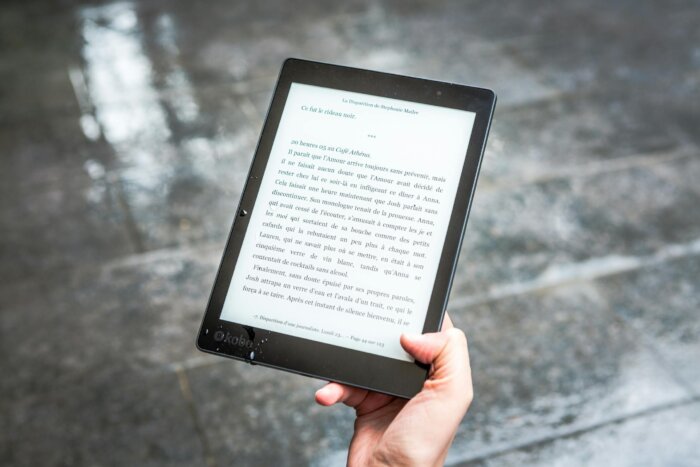
A cloud engineer on call drags their Thinkpad to the beer garden because their pager just went off. It doesn’t have to be that way. For a few months now, a device that looks like an e-reader and functions like a clean Linux terminal has been finding its way into the pockets of some DevOps teams: the Boox Palma 2 Pro. The practical test shows where the e-ink console really proves its worth and where it’s just for show.
Key Takeaways
- The Boox Palma 2 Pro is a 175-gram Android 15 device featuring a 6.13-inch Kaleido 3 E-Ink display with 5G connectivity, launched in November 2025.
- Users can install Termius, Termux, JuiceSSH, and ConnectBot via Google Play, with Obsidian, GitHub Mobile, and the AWS Console App running stably.
- The setup works surprisingly well for Pager Duty shifts, quick SSH checks on production clusters, and Markdown reviews in pull requests.
- Limitations are clearly defined: tmux with refresh-intensive TUI tools (k9s, btop, htop with fullscreen switching) feels sluggish, and video logs fail due to E-Ink refresh limitations.
- The price point aligns with a mid-range smartphone purchase, something IT departments can handle through hardware budgets.
Background: Why DevOps Teams Are Looking for a Second Device
What is the Boox Palma 2 Pro? The Boox Palma 2 Pro is a 175-gram lightweight Android-15 device with a 6.13-inch Kaleido-3 E-Ink display, 5G data modem, Qualcomm Snapdragon 750G, and 8GB of RAM. The device was introduced by Onyx International in November 2025 and combines the form factor of a smartphone with a color E-paper display and app compatibility from Google Play.
Anyone who stands by for call duty on a cloud platform knows the pattern. The incident comes on Saturday evening, the notebook is at home, and the smartphone is playing handball with WhatsApp, email, and Instagram for attention. While a true terminal interface does exist on the phone, it’s either confronted with banner ads or an interface that throws focus out the window. Typical reactions range from carrying a compact convertible notebook in a backpack to experimenting with a Linux phone on a PinePhone. Both ends are set, but a gap remains in the middle.
That’s exactly where Onyx positions its Palma 2 Pro. The device looks like an e-book reader in smartphone format, but runs on a Qualcomm Snapdragon 750G with 8GB of RAM and 128GB of flash storage, expandable via a microSD slot. Android 15 comes with Google Play pre-installed, and the 5G data module accepts a Nano-SIM. The display measures 6.13 inches and is a Kaleido-3 panel with dual front lighting. The form factor is a deliberate break because this very break makes the device a tool without addiction layers.
Two things stand out on the first day. The weight disappears so completely in the jacket’s inner pocket that you check three times to make sure it’s there. And on a hot afternoon outdoors, the E-paper seems almost more readable than at a desk because it produces no glare. Both are trivial details that change behavior in the on-call routine. Those who don’t hesitate to take it with them and have a display that works in the sun actually use the device.
The DevOps Configuration: SSH, tmux, Monitoring
In testing, setup is quickly completed. Google Play is not only installed but also functional, which is not a given with Android ports beyond the phone world. Termius comes from the store, runs smoothly, synchronizes SSH keys via its own account, and renders well through the manufacturer’s E-Ink optimization. Termux as an alternative also works, but is characteristically Spartan in keyboard operation. Those who prefer ConnectBot or JuiceSSH will also find these classics in the store.
The standard workflow for a cloud engineer on standby looks like this: Bastion host via SSH, from there a tmux detach with three panes running kubectl logs, journalctl excerpts, and a health check script side by side. The setup is restored on the Palma 2 Pro in under 30 seconds because the Snapdragon chip has enough reserves to handle a monitoring app and a Slack channel simultaneously. Characters per second are limited by the E-Ink refresh rate in the so-called A2 mode, not by the hardware.
Those who type productively won’t get far without a proper keyboard. Bluetooth support for keyboards is available. In practice, a ThinkPad Compact Keyboard connects without issues, and foldable travel keyboards like the Logitech K380 or Keychron K3 Pro also work reliably. The device itself weighs 175 grams, and a compact foldable combination including the Palma 2 Pro fits in a side pocket of a backpack. The truly surprising practical finding: after two hours of SSH work, one doesn’t feel exhausted. E-Ink produces no constant LED radiation. The screen is just the right size for scanning logs without straining eyes or burning through laptop batteries.
The three key use cases in cloud operations
In practical testing over several weeks, three scenarios have emerged that justify the device’s place in a DevOps engineer’s toolkit.
The first case is the PagerDuty shift outside the office. With the Palma 2 Pro, there’s no need for a smartphone with hotspot capability, as the 5G module stays connected. OpsGenie, PagerDuty, and Atlassian alerts can be installed, and push notifications come through cleanly. When an alert comes in, Termius opens. The connection to the bastion host is established within seconds. Within two minutes, there’s an initial assessment. Many teams have been running this workflow on laptops for years, but laptops aren’t always available, while a device in your pocket is.
The second case is silent reading of pull requests. The device properly displays GitHub, GitLab, and Gitea interfaces. Those who perform architectural code reviews and go through long diffs benefit from the E-Ink display not emitting blue light that tires the eyes. Two hours of focused reading through a series of pull requests works without fatigue. The scrolling latency is noticeable, but when reading code, people scroll slower anyway. The device handles this mode very well.
The third case is documentation work. Obsidian runs natively. Markdown editors like Markor or Epsilon Notes are available in the store. The integrated stylus support allows you to sketch diagrams on an architecture page while on a Zoom call on your laptop. Those who elaborate runbooks, with a few sentences here and a sketch there, work on the Palma 2 Pro in a flow state otherwise only known from Remarkable devices or traditional paper notebooks.
Strengths in DevOps operations
- 5G modem and Android 15 with Google Play out of the box
- Sufficient CPU reserves for SSH, Termius, tmux and monitoring in parallel
- E-Ink display saves eyes and battery during reading sessions
- Pocket-sized form factor makes PagerDuty without laptop realistic
Limitations to be aware of
- TUI tools with full-screen refresh (k9s, btop) stutter due to E-Ink latency
- Video logs, Grafana charts and flame graphs are not target workloads
- Without external keyboard, only useful as a reading and alert device
- Battery life at E-Ink level requires activatable power modes, otherwise the 5G module keeps the battery awake
Six-Week Pilot Phase: How Cloud Teams Structure Their Onboarding
Those who take this question seriously don’t answer it with a single purchase and three weeks of gut feeling. A structured pilot provides reliable data and a purchasing decision that holds up in budget discussions. The following six-week timeline has proven to be a useful model in discussions with DevOps leads from two Munich-based cloud platform teams.
The timeline is intentionally conservative. A hard gate after week two is sufficient to avoid failed pilot decisions. If someone reaches for their notebook in frustration three times by then, they have a clear answer. If they catch themselves voluntarily reading pull requests on the device, they get a signal in the opposite direction.
What other teams can learn from this
The interesting observation isn’t that a single device would suddenly replace the laptop. It doesn’t. What’s interesting is that a form factor is emerging that fills a clear niche: controlled terminal work that isn’t overwhelmed by the attention economy of smartphones. If you don’t install Slack on the Palma 2 Pro, you don’t have Slack on the Palma 2 Pro. This restraint is a feature, not a bug.
For DevOps teams, a small pilot is worthwhile, nothing more. Two devices in the on-call rotation are enough to see if the pattern holds. A fair test period is six weeks: one week for setup with SSH keys, password managers like 1Password or Bitwarden, monitoring apps; two weeks of pager duty rotation; three weeks of reading and documentation work. Afterward, it can be reliably determined which personas in the team benefit and which don’t.
The IT budget can be clearly positioned: hardware line below a mid-range laptop, above a corporate phone. Tax-wise, the device lands as company equipment with the employee if it’s clearly assigned to an on-call use case. Those who pay for on-call duty are already paying for time and tool setup anyway. One more device that makes the boundary between work and recovery somewhat less draining is well invested.
A detail is often underestimated: the device can be a leadership signal. When the cloud lead takes notes in the team meeting with the Palma 2 Pro instead of constantly looking at the laptop, a different quality of conversation emerges. Presence is a scarce resource in Ops teams. Whoever finds a device that doesn’t destroy presence but still brings terminal competence to the emergency case has found more than just a gadget. The acquisition can then not only be justified as a hardware rollout, but as part of a consciously designed team culture. The budget argument doesn’t become smaller because of this, but the discussion in the management circle becomes more productive.
Frequently Asked Questions
Does Termux run on the Boox Palma 2 Pro without limitations?
Termux runs from either the F-Droid or Google Play channel, including the apt package manager and common Linux tools like git, python, ssh, and tmux. Performance is sufficient for typical Pager Duty scripts. Graphically intensive TUI tools with frequent refresh rates tend to be sluggish due to the E-Ink display.
Does the device have a SIM card slot, or do I need to use a hotspot?
The Palma 2 Pro features a 5G-capable Nano-SIM slot. A data-only SIM is sufficient. The device doesn’t need to make phone calls in a DevOps context. Those who prefer not to use a separate SIM can pair the device with their smartphone via Bluetooth or Wi-Fi hotspot.
How good is the display for coding compared to an OLED tablet?
The Kaleido-3 display is very pleasant for static text like logs, pull requests, and Markdown. For animated content, Grafana dashboards, or chart-heavy interfaces, an OLED tablet is better. The Palma 2 Pro is a terminal and reading companion, not a dashboard client.
What security settings are mandatory for a DevOps device?
Enable device encryption, screen lock with biometric authentication, no plaintext passwords, store SSH keys in the hardware keystore, use a password manager like Bitwarden or 1Password, and check for MDM integration if the device is to be included in an enterprise inventory.
What does the Boox Palma 2 Pro cost and where can I get it?
Onyx distributes the device directly through the official Boox shop and selected importers in the DACH region (Germany, Austria, Switzerland). The price point is comparable to mid-range smartphones, depending on configuration and keyboard bundle. IT departments that standardize rollout of the device typically receive tiered pricing.
Is the device worth it for cloud architects who aren’t on call?
Architects benefit less from the Pager Duty aspect and more from the focus mode. Those who do extensive specification work, code reviews, and concept development use the Palma 2 Pro as a note-taking device with a touch of terminal functionality. For people who consciously want to spend less time on their smartphones, it’s an interesting secondary device.
Editor’s Reading Recommendations
Framework Laptop 16 Tested: The Modular Notebook for Developers
The Best Monitors for Developers 2026: 4K, Ultrawide or Dual Setup?
BYOD in German Enterprise 2026: Market Data Insights on Security, Costs and Compliance
More from the MBF Media Network
Unified Commerce in SMEs 2026: How retailers can integrate POS, shop and marketplace
Security Data Fabric in SMEs: Integrating SIEM, XDR and SOAR into a single data layer
Corporate Venture meets Corporate IT: How CIOs can operationally integrate startup investments
Source cover image: Pexels / Perfecto Capucine (px:1475290)


