

TP-Link Omada ER8411: 10GbE VPN Router with SDN Under €420
TP-Link Omada ER8411: Powerful VPN router with 10GbE, 7 protocols, 10 WAN links, and free SDN controller under €420.
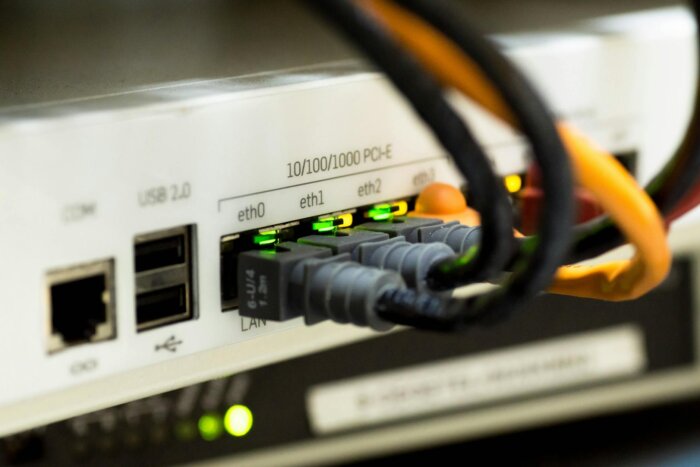
The TP-Link Omada ER8411 packs two 10-GbE SFP+ ports, eight Gigabit RJ45 ports, and support for seven VPN protocols into a 1U rackmount chassis for around €420. With support for up to ten simultaneous WAN connections, 300 IPSec tunnels, and nearly 5 Gbit/s of IPS throughput, this router emerges as a serious alternative to Ubiquiti-offering more ports, greater VPN capacity, and a free SDN controller.
Key Facts at a Glance
- Two 10-GbE SFP+ ports (1x WAN-only, 1x switchable WAN/LAN), one 1-GbE SFP port, and eight 1-GbE RJ45 ports-all configurable as WAN or LAN. Supports up to ten simultaneous WAN connections (TP-Link datasheet v1.20).
- Seven VPN protocols: IPSec, OpenVPN, WireGuard, L2TP, PPTP, SSL VPN, and GRE. Supports 300 IPSec tunnels, 110 OpenVPN tunnels, and 500 SSL VPN tunnels (TP-Link datasheet v1.20).
- NAT throughput: 9,446 Mbit/s. IPSec throughput: 3,099 Mbit/s (SHA1-AES256). IPS throughput: 4,924 Mbit/s (TP-Link datasheet v1.20).
- Omada SDN Controller is free-available as a cloud service, on-premises software, or hardware appliance. No license fees, no subscription costs.
- Price: approximately €420 (Geizhals.at, as of April 2026). Ubiquiti’s UDM Pro costs around 330 euros but offers only one 10GbE SFP+ port and supports a maximum of two WAN connections.
Hardware: What’s inside the 1U chassis
The ER8411 is a dedicated router-no switch, no access point, no NVR. This is a deliberate design choice: TP-Link cleanly separates functions by device class within its Omada ecosystem. Users wanting an integrated switch need a separate Omada device. Those seeking a focused router with maximum port flexibility get exactly that.
Port configuration in detail: Two 10-GbE SFP+ ports serve as the backbone for fiber WAN connections or uplinks to a 10-GbE-capable core switch. The first SFP+ port is fixed as WAN, while the second can be switched between WAN and LAN roles. An additional 1-GbE SFP port and eight 1-GbE RJ45 ports are fully configurable-each can operate as either WAN or LAN. This setup supports up to ten simultaneous WAN connections for load balancing or failover.
Two USB 3.0 ports round out the connectivity options. One supports LTE backup via compatible USB modems-a practical feature when the primary WAN link fails and a mobile fallback is needed. Redundant power supplies (100-240 VAC) ensure reliability on the power side. Maximum power consumption is just 26 watts-negligible even under continuous operation.
The chassis measures 440 x 220 x 44 millimeters in standard 1U rack form factor. For businesses with structured network infrastructure, this means the ER8411 fits seamlessly into any 19-inch rack alongside switches and patch panels.
VPN: 7 Protocols, 300 IPSec Tunnels
The ER8411’s VPN capabilities are where it clearly outperforms most competitors. It supports seven protocols out of the box: IPSec, OpenVPN, WireGuard (as of firmware v1.1.0), L2TP, PPTP, SSL VPN, and GRE. Ubiquiti’s UDM Pro supports only three of these-IPSec, L2TP, and OpenVPN-and lacks WireGuard entirely.
| VPN Protocol | ER8411 Tunnels | UDM Pro | Use Case |
|---|---|---|---|
| IPSec | 300 | Yes (limit unclear) | Site-to-site, standard enterprise VPN |
| WireGuard | Yes | No | Fast remote-access VPN, homelab |
| OpenVPN | 110 | Yes | Flexible client VPN, cross-platform |
| SSL VPN | 500 | No | Browser-based access without a client |
| GRE | Yes | No | Tunnel encapsulation, legacy systems |
For many IT teams, WireGuard is the deciding factor. The protocol delivers significantly lower latency and higher throughput than OpenVPN or IPSec-while also being simpler to configure. Ubiquiti’s continued lack of WireGuard support remains a notable shortcoming for DevOps teams requiring remote access. The ER8411 includes WireGuard out of the box.
However, the TP-Link community has reported WireGuard bugs following certain firmware updates (v1.20, v1.3.1) that can cause tunnel relay issues. Anyone planning to deploy WireGuard in production should validate the firmware version in a test environment before rollout.
Omada SDN: Cloud Management Without Licensing Fees
The Omada ecosystem is TP-Link’s answer to Ubiquiti’s UniFi. The key difference? Omada offers three controller options-cloud-hosted (managed by TP-Link, free of charge), on-premises software (free, runs on your own server or in a Docker container), and a dedicated hardware controller (OC300/OC200). None of these three variants require license fees or subscription costs.
All Omada devices-routers, switches, and access points-are centrally managed through the controller. Cross-site configurations, firmware updates, and monitoring are handled via a unified dashboard. This is especially relevant for businesses with multiple locations: a single administrator can manage all sites from one interface without needing to be physically present at each location.
SD-WAN capabilities are also included-but only when operating in controller mode. Standalone operation lacks SD-WAN functionality. Organizations requiring multi-site connectivity with application-based routing must use the controller-an easy requirement to meet given the free cloud option. Application-based routing automatically prioritizes business-critical traffic (such as VoIP and video conferencing) over the fastest available WAN link, a feature that becomes essential in distributed microservice architectures with real-time demands.
Throughput and Security: IPS, DPI, Firewall
According to its datasheet, the ER8411 achieves 9,446 Mbit/s of NAT throughput with a static IP-essentially line-rate performance on a 10-GbE link. More relevant for real-world use are the throughput figures with security features enabled: 4,924 Mbit/s with IPS (Intrusion Prevention System) and 5,524 Mbit/s with DPI (Deep Packet Inspection). IPsec throughput stands at 3,099 Mbit/s using SHA1-AES256.
The integrated firewall provides SPI (Stateful Packet Inspection), ACL rules based on source/destination IP and FQDN, DoS/DDoS protection, and signature-based IDS/IPS. TP-Link states that the DPI engine recognizes 2,421 application types. DNS security features-including DNSSEC, DNS-over-HTTPS, and DNS-over-TLS-round out the security capabilities.
For IT teams with security requirements, this offers a solid foundation. IPS signatures are updated regularly, and firewall rules can be configured granularly per port and VLAN. What’s missing is dedicated threat intelligence integration, as found in enterprise firewalls from vendors like Fortinet or Palo Alto Networks. The ER8411 is a router with strong security features-not a dedicated next-generation firewall.
ER8411 vs. Ubiquiti: Numbers Compared
Ubiquiti’s UDM Pro series holds one decisive advantage: UniFi OS integrates routing, switch management, Wi-Fi controller functionality, and optionally an NVR into a single unified interface. The UDM SE (around 435 euros) additionally includes an 8-port PoE switch with 180 watts of power. If you’re looking for an all-in-one device that combines routing and switching in a single box, Ubiquiti is the better choice. Moreover, the UniFi community is larger and more active than Omada’s, which proves invaluable when troubleshooting.
The ER8411 pulls ahead when scalability and flexibility take priority: ten WAN ports instead of two, three times as many VPN protocols, 40% higher IPS throughput, and a second 10-GbE SFP+ port. For businesses relying on multi-cloud connectivity across multiple ISPs, the multi-WAN capability alone is a compelling argument Ubiquiti simply can’t match.
Known Weaknesses
No product is without flaws. ServeTheHome documented CPU throttling under extreme load at maximum concurrent connections. TP-Link denied a thermal issue but provided no technical explanation. For typical enterprise workloads, this is irrelevant-but users pushing the router to its absolute limits should keep it in mind.
More serious was an IPv6 firewall vulnerability that remained unpatched for roughly a year after launch. IPv6 traffic wasn’t properly filtered by the firewall-a security risk that’s critical in enterprise environments using dual-stack configurations. The issue was resolved in later firmware versions, but it highlights that TP-Link’s firmware quality assurance doesn’t yet match the standards set by Ubiquiti or Cisco.
Organizations deploying the ER8411 in production should keep three things in mind: First, apply firmware updates promptly and read release notes carefully. Second, validate new firmware versions in a test environment before rolling them out-especially when using WireGuard or SD-WAN. Third, explicitly verify IPv6 firewall rules after every update. The ER8411 is a powerful device, but it’s not a set-and-forget router.
Pricing Context
The ER8411 currently costs around €420 (Geizhals.at, as of April 2026). Ubiquiti’s UDM Pro is priced at around 330 euros (approximately €360), and the UDM SE at around 435 euros (roughly €475). Adding an Omada switch-priced between €150 and €250-to the ER8411 brings the total to €600-€670 for a setup comparable to the UDM SE, but with more WAN ports, higher VPN capacity, and separate devices that can be replaced independently.
For platform engineering teams connecting multiple sites, the cost advantage becomes even clearer: both Omada Controller and UniFi Controller are free. However, the ER8411 supports ten WAN links per device, while Ubiquiti caps each UDM appliance at two WAN ports. Organizations requiring five ISP connections for redundancy and load balancing would need multiple Ubiquiti devices-but only one TP-Link unit suffices.
Who the ER8411 is worth it for-and who should look elsewhere
In its favor
- Two 10-GbE SFP+ ports for fiber WAN and 10G uplink
- Support for seven VPN protocols, including WireGuard
- Up to ten WAN connections for load balancing and failover
- Free Omada SDN Controller (cloud, on-premise, or Docker)
- Redundant power supplies for high availability
Against it
- No integrated switch-requires a separate device
- Documented WireGuard bugs following certain firmware updates
- IPv6 firewall vulnerability remained unpatched for a year
- CPU throttling under extreme load (ServeTheHome)
- No 2.5-GbE port-only 1G RJ45 or 10G SFP+
Conclusion
The TP-Link Omada ER8411 isn’t a Ubiquiti clone. It’s a purpose-built router that outperforms Ubiquiti’s UDM series in port flexibility, VPN capacity, and throughput. With ten WAN ports, support for 300 IPSec tunnels, WireGuard compatibility, and a free SDN controller, it stands as the strongest option for multi-WAN scenarios under €500.
Firmware quality remains its weak spot. Users accustomed to Ubiquiti’s stability and active community should expect occasional bugs with TP-Link. Nevertheless, for SMEs in the DACH region (Germany, Austria, Switzerland) managing multiple sites, redundant ISP connections, and demanding VPN requirements, the ER8411 still delivers superior value-provided firmware updates aren’t deployed blindly but first validated in a test environment.
Frequently Asked Questions
Do I need the Omada Controller to use the ER8411?
No. The ER8411 also works in standalone mode via a local web interface. However, SD-WAN features and centralized multi-site management are unavailable in standalone mode. Standalone is sufficient for single locations, but for multiple sites, the controller-which is available as a free cloud service-is recommended.
Can I use the ER8411 as a firewall replacement?
Partially. The ER8411 offers SPI firewall, IPS/IDS, DPI, and DoS protection-sufficient for most SMB scenarios. For enterprise requirements involving threat intelligence, sandboxing, or advanced persistent threat (APT) detection, a dedicated firewall from Fortinet, Palo Alto, or Sophos is necessary.
Which SFP+ modules are compatible?
TP-Link recommends its own SFP+ modules, but standard third-party modules (from FS.com, 10Gtek, or Ubiquiti) reportedly work reliably according to community feedback. For short distances within a rack, DAC (Direct Attach Copper) cables offer the most cost-effective option for the 10GbE uplink to the core switch.
How does the ER8411 behave during a WAN outage?
The ER8411 supports automatic failover between WAN connections. If the primary link fails, the next configured WAN connection takes over-including LTE backup via the USB port. Failover occurs within seconds. When all links are operational, load balancing distributes traffic across multiple WAN connections.
Is WireGuard production-ready on the ER8411?
Generally yes, with caveats. WireGuard has been available since firmware v1.1.0 and operates stably in most scenarios. However, documented bugs following firmware updates v1.20 and v1.3.1 have caused tunnel relay issues. Recommendation: Validate firmware updates in a test environment before rollout and always review the release notes.
Source for cover image: Pexels
Translated from the German original using artificial intelligence. The German version is authoritative.


